
Proxy Authentication Methods: IP Whitelisting vs Username and Password
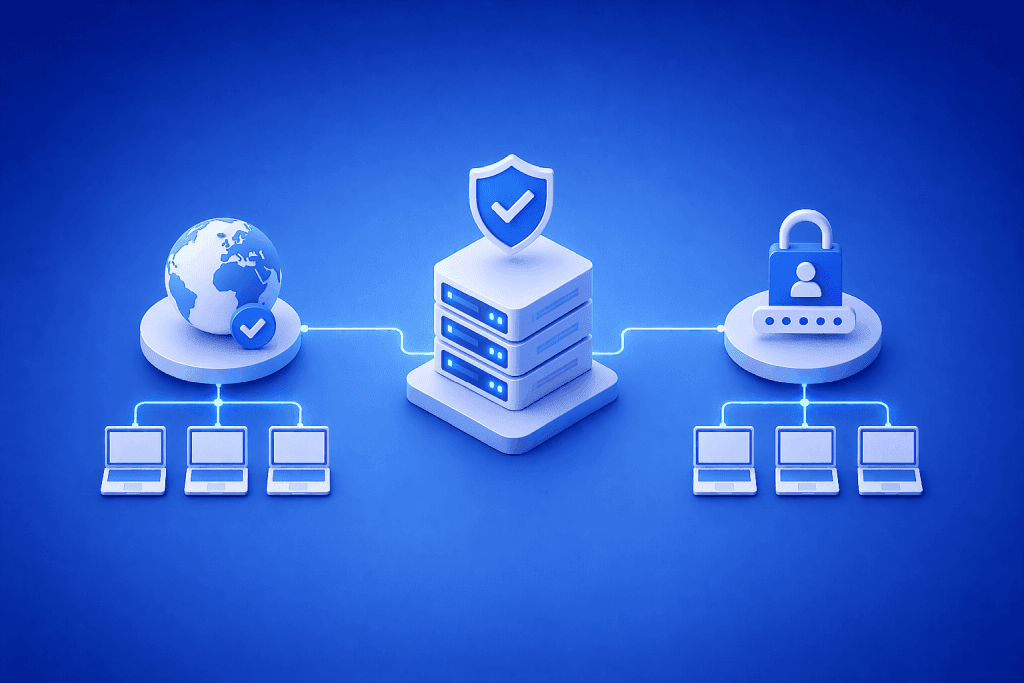
Blocked crawls, login loops, and inconsistent data often trace back to one choice: how you authenticate to your proxy. Pick the wrong method and you’ll fight flaky sessions and higher costs. Pick the right one and throughput rises while block rates fall. This guide explains the two main proxy authentication methods—IP whitelisting and username/password—so you can choose, implement, and monitor with confidence. What you’ll get: a decision path, quick configs, metrics to track, and production-grade tips.
IP whitelisting lets a proxy trust traffic from specified source IPs. Username/password (user/pass) requires credentials on each request. Choose based on control over egress IPs, rotation needs, team size, and security model. For fundamentals on proxy types and protocols, the comprehensive proxy guide is a helpful reference.
Direct answer: IP whitelisting is best when your egress IPs are fixed and managed, offering simple, fast auth with low overhead. Username/password is better for dynamic teams, rotating proxy pools, cloud workers, and consumer-origin traffic. Decide using four signals: do you control egress IPs, how often must IPs rotate, which tools you use, and how you manage secrets.
How proxy authentication works
A proxy sits between your crawler or app and the target site. It forwards requests and returns responses. Authentication decides whether the proxy will accept your traffic.
- IP whitelisting (also called allowlisting) checks if your source IP is on an approved list. If yes, no further credentials are needed.
- Username/password sends credentials per connection or request, often over HTTP Basic or a CONNECT tunnel. Some providers issue rotating credentials or tokenized usernames to control routing.
Both methods can be secure when done right. The tradeoffs are in scale, rotation speed, and operational risk.
Proxy authentication methods compared: IP whitelisting vs username/password
| Criteria | IP Whitelisting | Username/Password |
|---|---|---|
| Setup speed | Fast if you control fixed egress IPs | Fast even with ephemeral egress; no IP control needed |
| Rotation needs | Weak for frequent IP rotation | Strong; rotate credentials or exit nodes per request |
| Team/CI scale | Harder; each runner IP must be allowed | Easier; share or scope creds via secrets manager |
| Security exposure | Relies on source IP control; no secret leakage risk | Secrets can leak; must manage rotation and scope |
| Tool compatibility | Universal; no code changes if IP stable | Universal; minor client config for auth headers |
| Failover | Breaks if egress IP changes unexpectedly | Survives infra churn if credentials stay valid |
| Typical uses | Corporate crawlers, data centers, static servers | Cloud jobs, containers, residential/mobile pools |
| Key risks | NAT changes, ISP renumbering, IPv6/IPv4 mismatches | Leaked creds, overuse across teams, brute forcing |
Decision path: pick in under 60 seconds
- Do you control stable egress IPs for all job runners?
- Yes → Prefer IP whitelisting.
- No or mixed → Prefer username/password.
- Do workloads need frequent IP rotation to avoid blocks?
- Yes → Username/password with provider-side rotation.
- No → IP whitelisting is fine.
- Is secret management mature in your org (vaults, revocation, rotation)?
- Yes → Username/password scales well.
- Not yet → IP whitelisting reduces secret sprawl.
- Are you using serverless, spot instances, or short-lived containers?
- Often → Username/password avoids allowlist churn.
- Rarely → IP whitelisting remains simple and fast.
When to use each method (and when not to)
Use IP whitelisting when:
- Your runners sit behind fixed IPs or a controlled NAT.
- You operate steady-state crawls with low rotation.
- You want minimal auth overhead and fewer moving parts.
Avoid IP whitelisting when:
- Your egress IPs change often (cloud autoscaling, serverless).
- You need high-frequency rotation at the proxy level.
- Teams span multiple networks you do not control.
Use username/password when:
- You run containers across regions or providers.
- You need per-request or per-session routing and rotation.
- You manage secrets centrally and can rotate safely.
Avoid username/password when:
- You cannot secure or rotate credentials.
- Teams copy credentials into code or shared docs.
- You want a zero-secret, source-IP-only trust model.
Implementation: quick, reliable configs
Here are compact patterns that work across common tools. Store sensitive values in environment variables or your secrets manager.
- curl (HTTP proxy with user/pass):
export PROXY_USER=teamA
export PROXY_PASS=xxxxx
curl -x http://$PROXY_USER:$PROXY_PASS@proxy.example:8080 https://target.tld/
- Python requests:
import os, requests
proxies = {
  "http":  f"http://{os.environ['PROXY_USER']}:{os.environ['PROXY_PASS']}@proxy.example:8080",
  "https": f"http://{os.environ['PROXY_USER']}:{os.environ['PROXY_PASS']}@proxy.example:8080",
}
resp = requests.get("https://target.tld/", proxies=proxies, timeout=30)
Selenium (Chrome) with user/pass often needs an extension-based header injector or a PAC file; IP whitelisting avoids that added step.
Node (global-agent) or Puppeteer: set HTTP_PROXY/HTTPS_PROXY env vars or use a proxy chain library to add auth.
For step-by-step setup across browsers, OSes, and libraries, see the provider’s proxy tutorials.
Security and operations tradeoffs that change outcomes
- Credential scope and rotation: Issue per-team or per-service usernames. Rotate on calendar events and on incident triggers. Shorter lifetimes reduce blast radius.
- Least privilege: Map credentials to specific proxy pools, geos, or traffic classes. Avoid all-access logins.
- Logging: Capture username, source IP, and request metadata at the proxy. Use logs to detect anomalies and support takedowns.
- Key hygiene: Prefer env vars and secret stores. Ban hardcoded credentials and shared spreadsheets.
- IP hygiene: For whitelisting, centralize egress through a small set of NAT gateways to reduce allowlist sprawl.
What to measure and monitor
Track these signals to control cost and reliability:
- Success rate: 2xx/3xx responses divided by attempts. Indicates if auth and routing work.
- Block rate: 4xx/5xx responses from targets related to rate limits or bans. Helps tune rotation and retry depth.
- CPSR (cost per successful request): total proxy and infra cost divided by successful responses. In plain terms: dollars spent per working page.
- Latency and throughput: request time and requests per second. Auth overhead shows up here.
- Session survival: average pages per session before a block. Higher is better for browsing flows.
- Geo accuracy: share of requests that exit from intended region. Misroutes often signal bad credentials or pool mapping.
Set example targets to validate in a pilot, then adjust by workload. If CPSR spikes after moving to user/pass, investigate credential reuse patterns or a misconfigured rotation schema.
Failure modes and fast fixes
- NAT or egress IP changed: Whitelist is stale. Fix by centralizing egress and adding health checks that alert on public-IP drift.
- IPv4 vs IPv6 mismatch: Your source uses IPv6 but only IPv4 is whitelisted. Ensure both families are allowed or force one stack.
- 407 Proxy Authentication Required: Wrong or missing user/pass. Validate URL encoding, library support for proxies, and that HTTPS traffic isn’t bypassing the proxy.
- Credential leakage: Keys in logs or build output. Move to secrets manager, rotate credentials, and audit pipelines.
- Over-rotation: Changing exit IP too fast raises blocks. Tune rotation by domain and session type; keep cart or login sessions sticky.
- Provider-side pool mismatch: Username maps to the wrong pool or geo. Confirm account routing rules and test with an IP-check endpoint.
Real-world scenarios
Scenario 1: SEO crawler in a corporate data center.
- Need: High throughput against public sites with stable routing.
- Choice: IP whitelisting through a fixed NAT gateway.
- Outcome: Simple management, consistent latency, low block rate with domain-aware rate limits. For bulk crawling with static exits, some teams also test datacenter proxies to balance speed and cost.
Scenario 2: Price monitoring across travel sites from multiple geos.
- Need: Frequent IP rotation and city-level targeting across clouds and containers.
- Choice: Username/password with per-request routing and sticky sessions by account.
- Outcome: Higher success rate under rotation; secrets controlled via a vault, rotated monthly and after incidents.
Proxy type → workload fit
Proxy type matters as much as auth. If targets are sensitive to data center ranges, consumer-origin traffic may perform better.
- Datacenter exits are fast, predictable, and cost-effective for bulk crawling and APIs tolerant of such ranges.
- Residential exits often reduce block rates on consumer-only endpoints and checkout flows.
If you are exploring consumer-origin pools and flexible access control, review how your auth choice aligns with residential proxies to ensure rotation and session policies match your workload.
Cost and planning implications
Authentication touches cost through engineering time, failed requests, and rework.
- IP whitelisting reduces secrets overhead but may create operational drag if your egress IPs change often.
- Username/password adds secret management but enables fine-grained routing and lower block rates in rotating pools.
Track CPSR and time-to-recovery after auth failures. If you are aligning budgets to expected volume and rotation needs, compare provider tiers and pool options under proxy plans and pricing and test with a small pilot.
Implementation tips that save hours
- Standardize proxy configuration via a single library wrapper shared across services.
- Use canary jobs to detect auth breakage before production crawls start.
- Maintain separate credentials for staging vs production to avoid cross-contamination.
- For high-value flows, prefer sticky sessions and lower rotation rates; for broad discovery, rotate more aggressively.
- Document your decision: why you chose the method, conditions to switch, and how to validate success.
Frequently Asked Questions
Q1: Which method is more secure: IP whitelisting or username/password?
- Both can be secure if implemented well. Whitelisting avoids credential leakage but depends on controlling source IPs. Username/password introduces secrets risk but allows tighter scoping and rapid revocation. Choose based on your ability to secure egress or manage secrets.
Q2: How do I handle serverless and autoscaling with IP whitelisting?
- Centralize egress via NAT gateways with fixed addresses, or provision an egress proxy with a static IP. If that’s not possible, move to username/password to avoid frequent allowlist updates.
Q3: Why am I seeing 407 errors even with correct credentials?
- The client may not be applying proxy auth on HTTPS CONNECT, or the URL is misencoded. Verify library support, ensure username/password are URL-encoded, and confirm no direct-to-target bypass via no_proxy settings.
Q4: Does authentication affect block rate on target sites?
- Indirectly. Auth controls which exit IPs and pools you use. User/pass with rotation can lower block rates when targets filter static ranges. Measure by domain and adjust rotation, headers, and pacing.
Q5: What should I log for audits without exposing secrets?
- Log hashed usernames, source IPs, exit IPs, request timestamps, domains, and status codes. Avoid raw credentials. Use logs to track success rate, block rate, and session survival.
Q6: How do I share access with agencies or vendors safely?
- Issue separate usernames per vendor with scoped pools and rate limits. Rotate on contract changes and monitor usage. Avoid sharing allowlisted corporate IPs with third parties.
Q7: When should I switch from IP whitelisting to username/password?
- Trigger points include moving to multi-cloud, adding serverless runners, needing frequent geo rotation, or onboarding external teams. Pilot user/pass, measure CPSR and block rate, and switch if stability improves.
Q8: Can I combine both methods?
- Some providers support both: you can allowlist a CI egress IP and still require user/pass for sensitive pools. This layered model reduces risk while keeping operations flexible.
Key takeaways and next steps
Pick authentication to match your infrastructure and rotation goals. IP whitelisting is simple and fast when you own egress. Username/password is flexible for cloud-native, multi-geo work. Measure success rate, block rate, CPSR, latency, and session survival to prove the choice.
Next steps:
- Run a 1–2 week pilot using your top domains.
- Start with the decision path above and document assumptions.
- Set alerting on 407s, IP drift, and block rate spikes.
- If you need hands-on setup patterns, explore the provider’s proxy tutorials and align proxy type to workload with the pages linked above.
Choosing between proxy authentication methods is not one-and-done. Revisit the decision as your stack, traffic mix, and targets evolve.
About the author
Elena Kovacs
Elena Kovacs works at the intersection of data strategy and proxy infrastructure. She designs scalable, geo-targeted data collection frameworks for SEO monitoring, market intelligence, and AI datasets. Her writing explores how proxy networks enable reliable, compliant data acquisition at scale.


